
Help for recipients

An individual solution for every problem


Make changes independently

You can only make changes to the delivery of your parcel in the recipient portal

  • if you click directly on the link in the email or SMS notification from the sender or from Planzer Parcel, or
  • if you register on the recipient portal using the same email address registrieren, the sender has stored for your shipment. 

What is an email or SMS notification?

As soon as a parcel has been shipped with Planzer Parcel, you will receive a notification from the sender or from Planzer Parcel

I haven’t received an email or SMS notification. What now?

Please check your spam folder first.

Some senders do not send notifications with details (tracking number, etc.) about our shipment or do not integrate a link to our recipient portal. In this case, we recommend that you contact the sender directly.

Why can I only make changes directly via the notification or after registration?

This is to help keep your data secure. This means that you can only make changes directly via the notification or by registering. This way, your shipment and your data remain in safe hands.

Track shipment  

You can track your shipment on our recipient portal. Please enter yourtracking number to access the recipient portal:


Please note: you cannot make any changes this way – you can only view the status of your shipment. To make changes to your delivery, use the link in the email or SMS notification from the sender or from Planzer Parcel.

Where can I find the tracking number?

You have received an email/SMS notification that says ‘A delivery is on its way to you’. You will find your tracking number in this message. If you have not received an email or SMS or cannot find a tracking number there, please contact the sender of your parcel.

When will my parcel be delivered?

You can find information on the delivery date in the email notification and the recipient portal.  

If you still have any questions, please use this form to contact our Customer Service Centre. 

How do I change the delivery date?

You will find the link to the recipient portal in the email or SMS notification. There, you can change the delivery date under ‘Manage the delivery’. If you still have any questions, use this form to contact our Customer Service Centre.

How do I change my delivery address?

You will find the link to the recipient portal in the email or SMS notification. There, you can change the delivery address under ‘Manage the delivery’. If this option is not available or appears grayed out, the sender of your parcel does not allow any changes to be made. Please contact them directly.

Arrange redelivery or pick up the parcel from the Parcel shop

You weren’t in when we called. That’s why we left a delivery card in your letterbox. On the delivery card, you will find a delivery code you can use to arrange re-delivery or find out which Planzer Parcel shop we have taken your parcel to.

You can edit your delivery in the recipient portal. Please enter your delivery code to access the recipient portal:

In the recipient portal, you can choose a new delivery date under “Delivery day”. If desired, you can also provide drop-off instructions under ‘Safe place’.

Please note:
If this option is not available or appears grayed out, the sender of your parcel has prohibited the option to leave your parcel in a safe place.
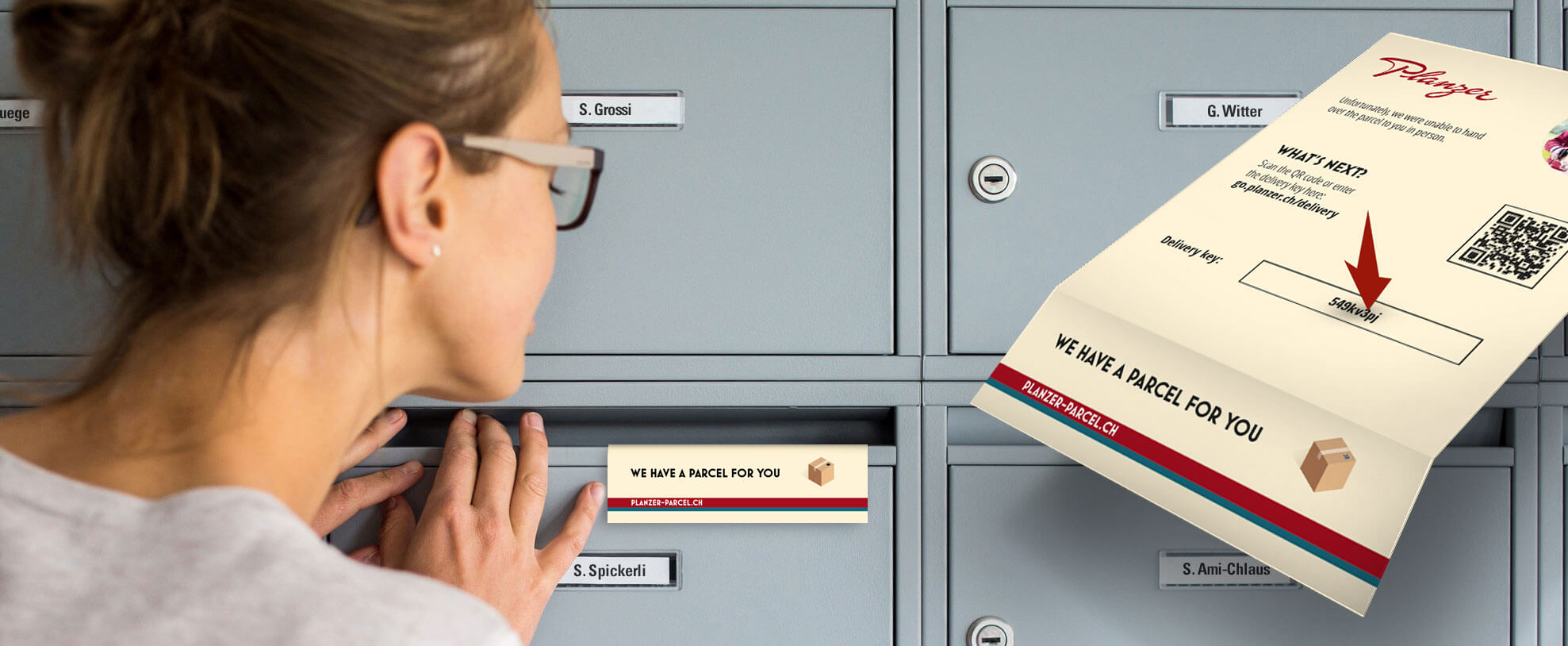
Where can I find the delivery code?

If you were not available during the first delivery attempt, we will have left a delivery card in your letterbox. You will find the delivery code on this card.

I don’t have a delivery code. What do I need to do?

If you have not received a delivery card or need assistance, please use this form to contact our Customer Service Centre.
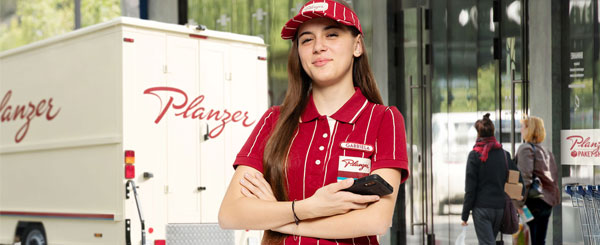
What is a Planzer Parcel shop?

This is a collection and drop-off point, either in the form of a partner shop or a collection box. Here, you can receive, drop off or return your parcels flexibly and conveniently, sometimes even around the clock. If your parcel was automatically rerouted to a parcel shop, you were not at home the first time delivery was attempted and did not allow it to be left in a safe place. You can find more information about the Planzer Parcel shop here. 

Allow parcel to be left in a safe place

In the recipient portal, you can save authorisation to leave parcels in a safe place either for an individual shipment or – after registration in general.

Please note: If this option is not available or appears grayed out, the sender of your parcel has prohibited the option to leave your parcel in a safe place. In this case, please contact your sender directly.

Where have you left my parcel?

If the sender has given us permission to leave your shipment in a safe place, your parcel will be left in the letterbox, inside the building or safely outside the front door where it is protected against the weather. If you ask us to leave your parcel in a safe place, it will be left as per your instructions.

If you are unable to locate your parcel, you can access our recipient portal via the link in our email or SMS notification. Under ‘Delivery confirmation’, you will be able to download your proof of delivery or the drop-off photo. 

Is it possible for you to leave every parcel in a safe place?

Yes, as long as the sender of your parcel has not prohibited leaving it in a safe place and you register in the portal Please note: long-term authorisation to leave parcels in a safe place only works if you register in the recipient portal with the same email address that you gave the sender for your shipment.

I would like to allow the parcel to be left in a safe place, but I need help

Please use this form to contact our Customer Service Centre. You can use the form to give us your permission to leave the parcel in a safe place and specify the desired safe place.  

Receive proof of delivery or a photo of your parcel left in a safe place

Once we have left your parcel in a safe place, we will send you a notification by email or SMS. The link takes you to our recipient portal, where you’ll be able to download your proof of delivery or drop-off photo under ‘Delivery confirmation’.

I have not received an email or SMS. What now?

Please use this form to contact our Customer Service Centre.

More FAQs

I can’t find my parcel. What now?
  1. Please check the status of your shipment in the email/SMS or the recipient portal. The shipment must have the status/note ‘Parcel delivered’.
  2. If the parcel has been delivered, you can view the proof of delivery and the drop-off photo in the recipient portal under “Delivery confirmation”.
  3. If you still cannot find the parcel, please use this form to contact our Customer Service Centre.
My parcel has been damaged or lost. What can I do?

We’re sorry everything didn’t go according to plan. To report loss or damage, please contact your sender directly.

Please note: a photo of the damaged goods, parcel and shipping label is required for a damage report by the sender of your parcel.

I would like to return my parcel to the sender. What can I do?

Please contact your sender to initiate the return of your parcel.

Contact form

Contact Customer Service Centre


If you would like to contact our Customer Service Centre by phone, please click here. 

Support for senders

Here for you and your parcel queries


As the sender, you can track your shipments directly in our customer portal. More information about logistics services is available here.

If you would like to contact our customer service, please fill out the form above “I am sending a parcel.”

Register on the recipient portal now

Registering on our recipient portal offers you some interesting benefits:

  • You can keep track of all your shipments.
  • You can change the key details of your shipments yourself, unless the sender has restricted this feature.
  • You grant us long-term authorisation to leave parcels in a safe place or register a redirection to the Planzer Parcel shop.

Please note: this only works if you register with the same email address you gave the sender.

Personal contact

We speak your language

Customer Service Centre Monday to Friday
8 am to 6 pm

0848 00 19 36(CHF 0.08/min. from Swiss landlines)

Note If you are receiving one or more parcels, please have your tracking number(s) to hand for further enquiries. Thank you.

Track delivery
Request a quote
Jobs

Expecting a delivery? Let us know your tracking number and we’ll tell you where it is.

Enter tracking number

Need help?